
Use case
Take time off. Give clients a clear way to flag urgent requests.
Add a button to your out-of-office reply and receive requests in your chosen app—without sharing your personal phone number.
14 days free, then Starter at €12 / month, including applicable VAT. Payment method required. Cancel before the trial ends to avoid a charge.
From auto-reply to alert in three steps
Nothing is sent when your auto-reply arrives or when someone only opens the button. Responello sends your alert after the sender submits the request form, or confirms if you switched the form off.
- The sender opens the button in your auto-reply and sees a short Responello request form.
- They enter their email address and a message. Name, subject and an urgency level of low, medium or high are optional.
- Responello alerts your chosen destinations with those details, the button label, the time and a link to open the request in Responello.
Where the alert arrives
Assign one or more destinations to the button. For an alert on your private phone, use Telegram or Pocket Alert. Email, Slack, Discord and webhooks are also supported. Responello never sends an SMS or calls a phone number.
- Telegram: connect your own bot with its bot token, then send /start to the bot so Responello can detect your chat.
- Pocket Alert: install the app on iPhone or Android, create a webhook in its web dashboard and paste the receive URL into Responello.
- Allow notifications for the app on your phone, so alerts show up while you are away.
Decide what counts as urgent
Name one or two concrete examples, such as a site outage or a blocked launch, and say that everything else waits. A clear limit helps senders decide when to use the button.
- Use a specific button label, such as This cannot wait.
- Say when you are back and that routine messages wait until then.
- Turn off or replace the button when you return.
Is Responello right for your time off?
Use it when you work directly with clients, have agreed what can wait, and still want to review selected requests yourself. A request button gives clients a contact route; it does not provide someone to handle the work for you.
- For solo service providers: clients can send a short request without receiving your personal phone number.
- For small teams: route submitted requests to the connected destinations you already use.
- If you need to disconnect completely or promise a response time, arrange a person or service to cover the work instead.
Choose between an auto-reply, a backup contact and a request button
Start with the level of availability you actually want. You may only need a clear return date, or you may need someone else to take over. Responello fits the middle case: you remain available to review selected requests.
- Auto-reply only: tell clients when you return if their requests can wait. No additional request tool is needed.
- Backup contact: direct urgent work to someone who has agreed to cover it and has the access needed to help.
- Responello request button: clients submit the context, a connected app alerts you, and you decide whether to respond. App availability, your plan limits and your own availability still apply.
- Staffed support or an on-call arrangement: choose this when work needs assigned coverage or agreed response times. A Responello alert alone cannot provide either.
From a real test
From the auto-reply to your phone.
An out-of-office reply sent by Hostinger, opened in Proton, and followed through to Pocket Alert on an iPhone. These screenshots show our own test request, not a customer conversation.
See the request arrive.
A lock-screen alert, then the message behind it. Explore our separate Pocket Alert and Telegram tests on iPhone.
The request says Low urgency; Pocket Alert also shows a HIGH badge. We did not test how that badge is assigned.
Animated sequence of real screenshots from two separate tests. Playback timing does not represent delivery speed.
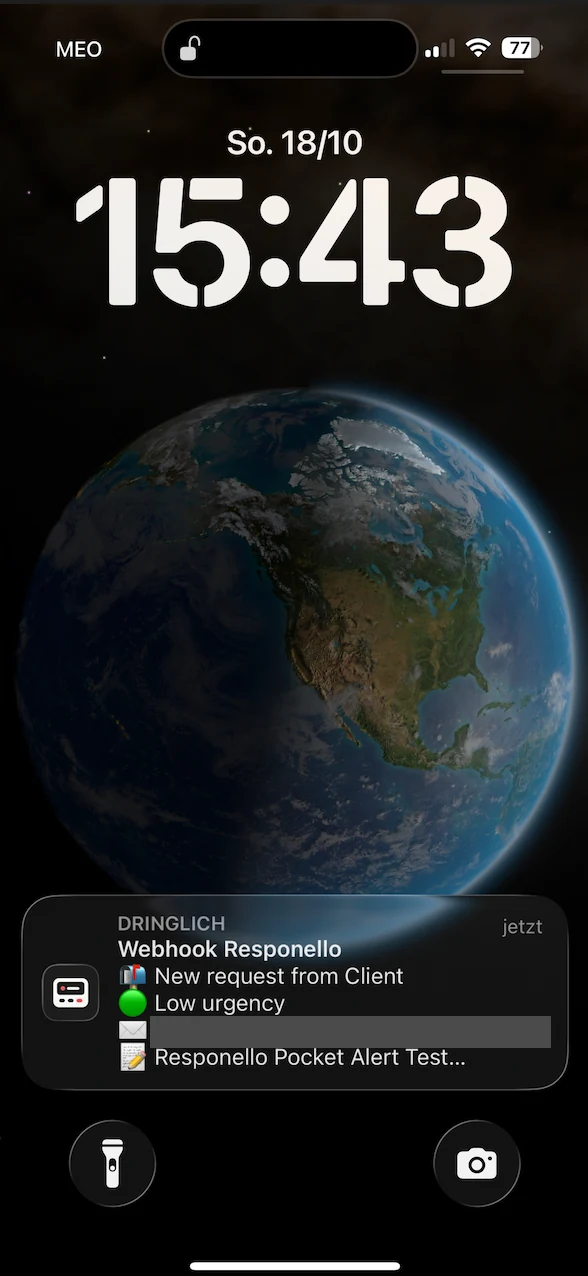
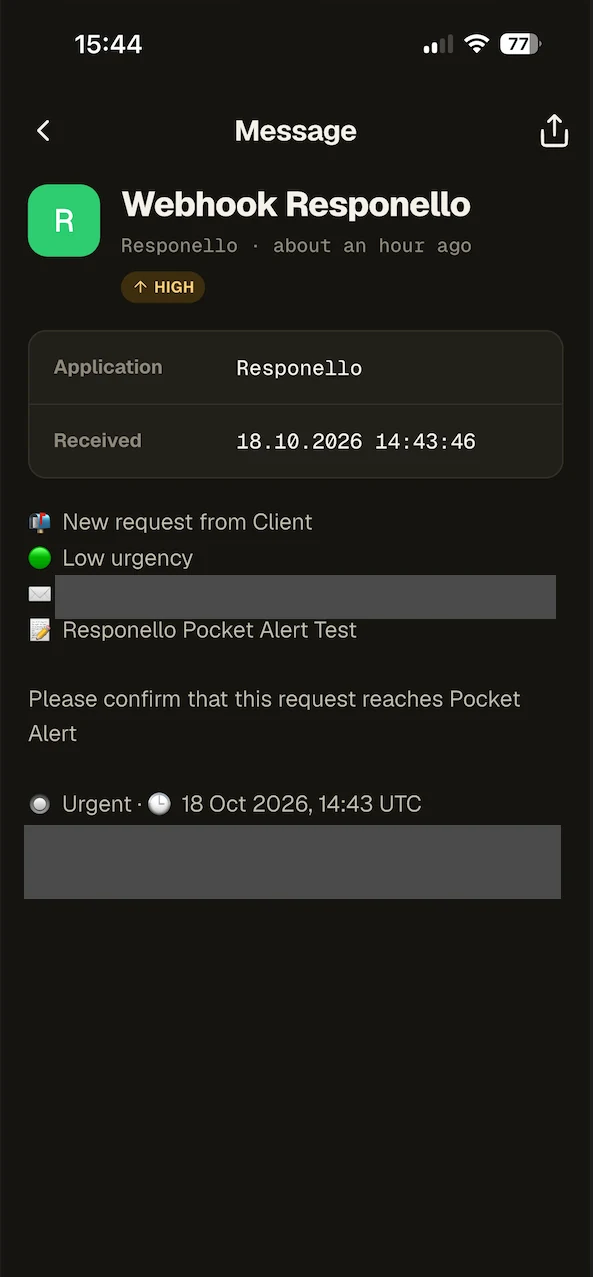
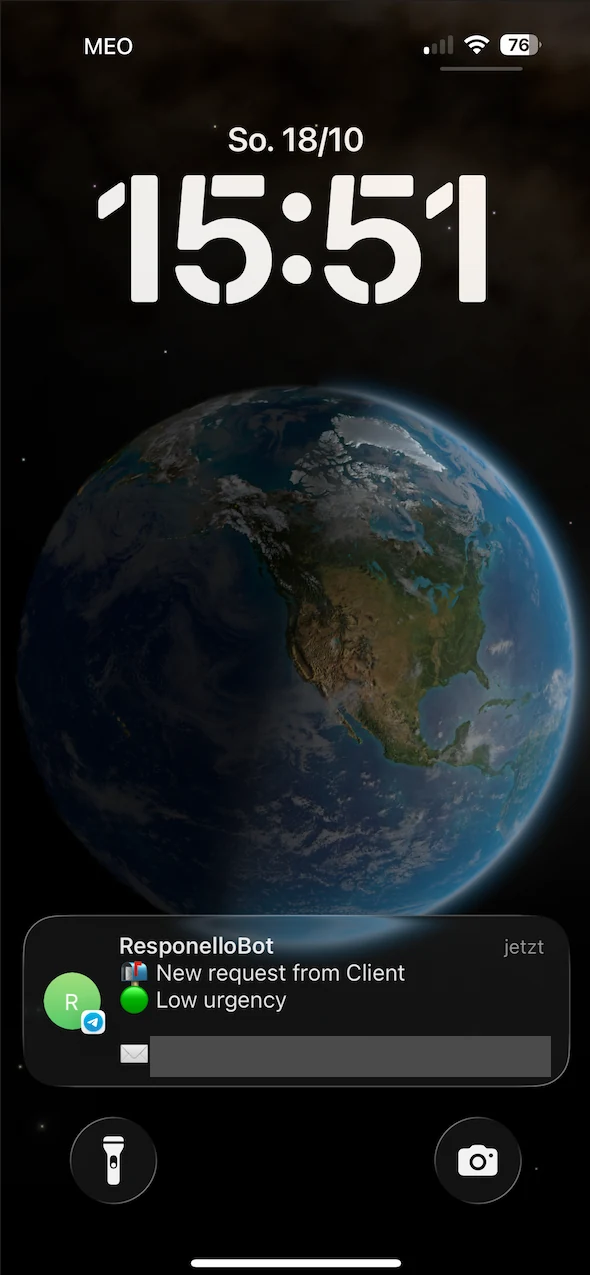
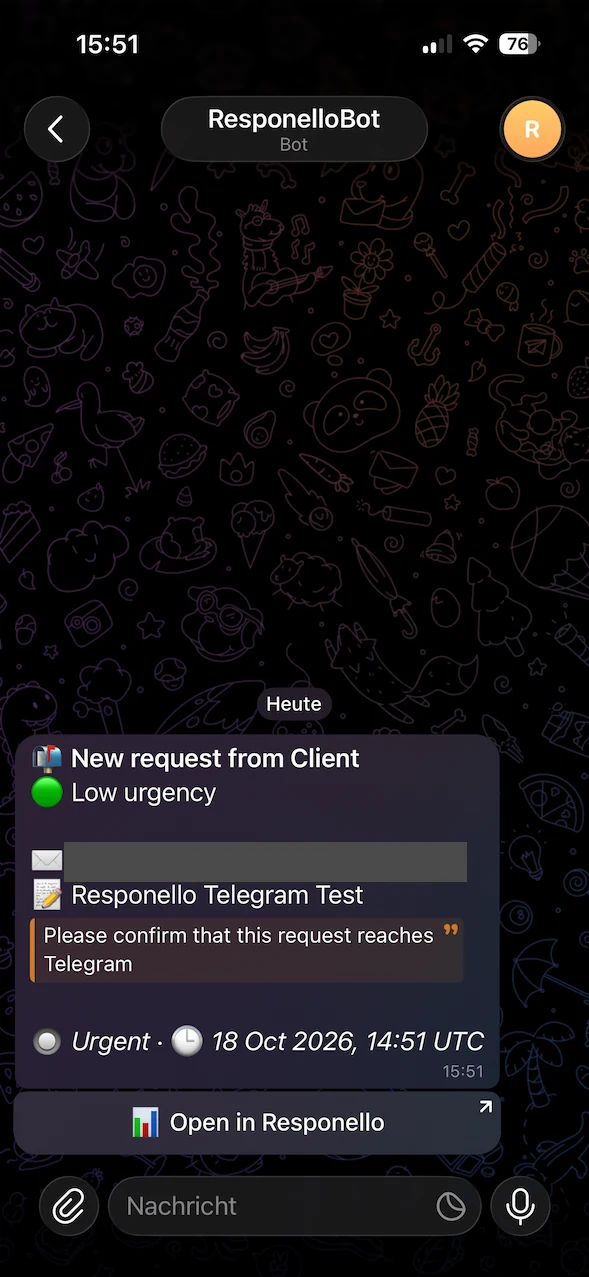
Pocket Alert / Lock screen
The sender receives your reply
The Urgent button arrived in Proton and opened the request form shown below. This first test used the button alone; we recommend adding the optional text link, too.
View email screenshot (new tab)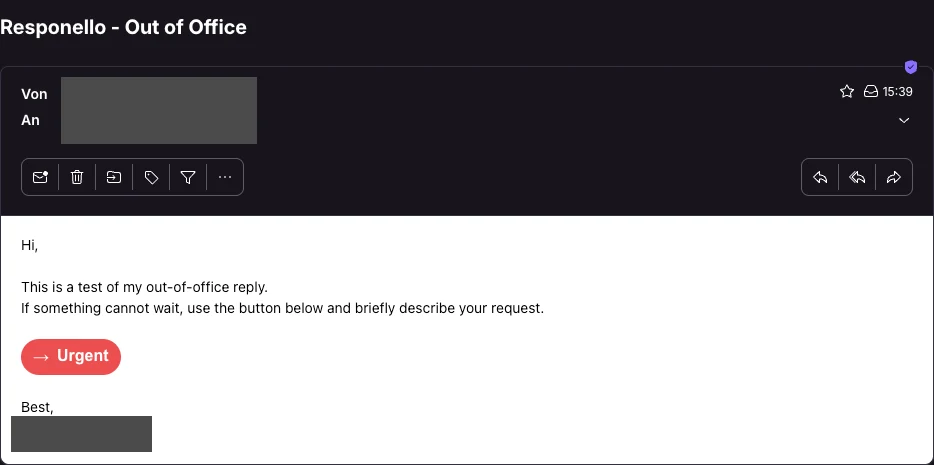
They explain what needs attention
The sender entered a subject, chose Low urgency and wrote a short message. Submitting the form sent the request to the selected destination.
View form screenshot (new tab)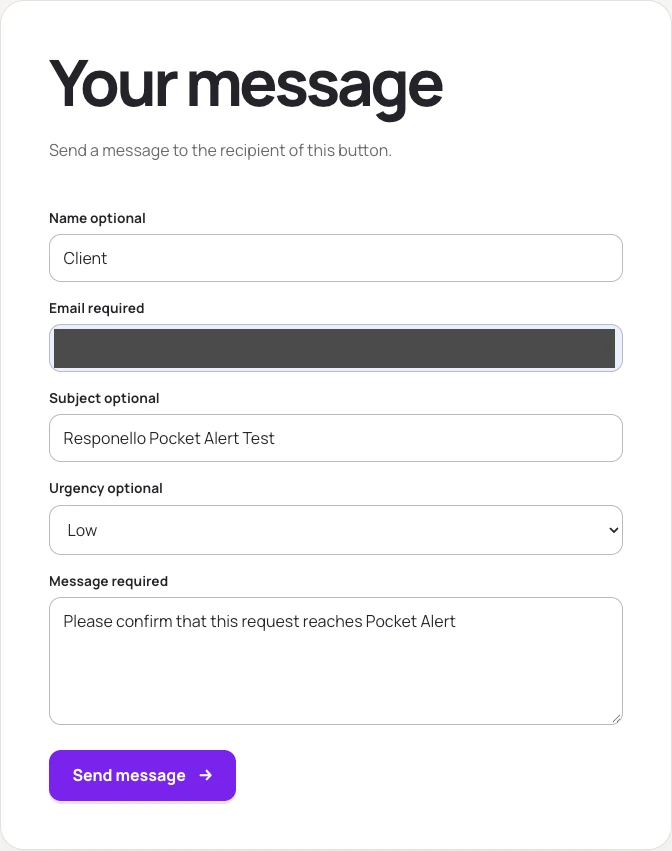
Original screenshots, cropped for readability. Personal details and private links have been covered. Tested on 18 October 2026 with the accounts and apps listed below. Other versions and setups may differ.
What we tested on 18 October 2026
Manual checks using our own accounts and devices:
- Hostinger → Proton → phone
- The request reached Pocket Alert on iPhone. A separate request reached Telegram on iPhone after we changed the button’s destination.
- Gmail auto-reply → Outlook
- The reply arrived in an Outlook.com mailbox. Both the button and fallback link opened the form in Outlook on Mac and iPhone.
- Outlook.com auto-reply → Hostinger
- The reply arrived in the Hostinger mailbox. Both links opened the form in Outlook for Mac and Apple Mail on Mac and iPhone.
These checks cover the combinations above. Apple Mail was tested as a receiving app. The auto-replies were configured in Hostinger, Gmail and Outlook.com on the web; the automatic-reply editors in Outlook for Mac or Windows were not tested. Notification priority and delivery speed were not measured.
Keep the text link, too. In our Outlook.com auto-reply test, the label was already underlined in the editor and stayed underlined in the receiving apps. In Apple Mail on Mac and iPhone, the button also appeared smaller with dark text. Both links worked. Enable “Add a plain-text link below the button” and check your own delivered reply before you leave.
Out-of-office message template
Replace each placeholder in square brackets. Where [request link] stands, paste the button you copied in Responello, and turn on Add a plain-text link below the button so senders can still open the link if their email program drops the formatting.
Set up the auto-reply in your email program
Pick your email program to see where its out-of-office settings are. Paste the message, then the copied button in place of [request link]. Gmail, Outlook with a Microsoft 365, Exchange or Outlook.com account, and paid Proton plans offer an auto-reply editor for this. With Apple Mail, Mail on iPhone and iPad or Thunderbird, use your email provider’s auto-reply on the web instead.
- In Responello, click Copy button.
- Open Settings › See all settings › General and turn on Vacation responder.
- Paste the button into the message, set the dates and click Save Changes.
- Send yourself a message from another account to check the reply.
Official help: Create a Gmail signature
Try the request flow first
This demo is a simulation. Press the example button in the out-of-office email, leave a request and see the alert Responello would send. Nothing is sent and no account is needed.
ToAlex Rivera
Thanks for your email! I’m away until Monday and my work laptop is staying at the studio. If something truly cannot wait, use the button below and I will get a heads-up on my phone.
Speak soon,
Demo only. No email or alert is sent. Demo inputs stay in your browser; aggregate event totals measure feature use.
Practical notes
Responello does not read, sort or rate your inbox. Alerts come only from senders who use the button, and the urgency level is their own choice.
There are no SMS messages or phone calls. Alerts arrive through the apps and services you connect, and neither delivery nor an immediate response is guaranteed.
Do not use it as a substitute for emergency services or regulated support channels.
Test the full path before you leave: turn on the auto-reply, email yourself from another account, submit a request and check that the alert arrives. Email programs handle the copied button differently, so keep the plain-text link below it.
The button needs an active trial or plan. Without one, senders see a notice asking them to reply by email instead.
Plans include a monthly number of confirmed clicks. Once the limit is reached, no further request alerts reach you until the next calendar month, even though senders still see the usual thank-you page. Offer another way to reach you for anything that truly cannot wait.
Put a button where the moment matters.
Create a button, choose where the signal should arrive, and test the complete confirmation flow.